





10 Best Notion Templates to Boost Productivity in 2026
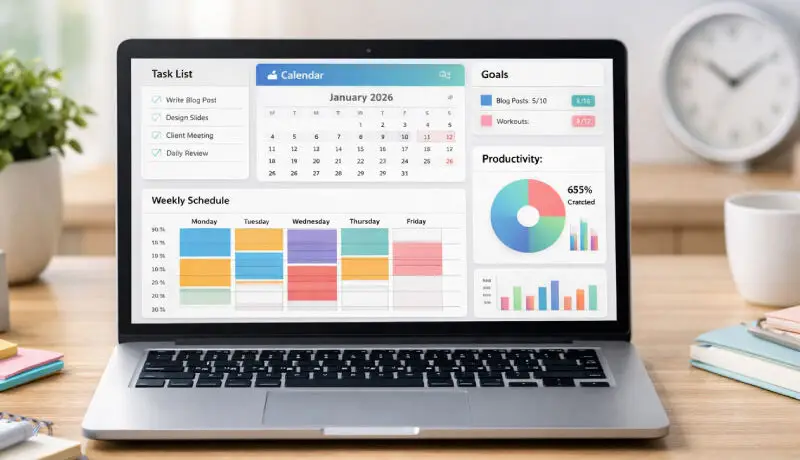
Productivity tools are everywhere, but few match the flexibility of Notion. The real power of the platform comes from Notion templates, which let you skip setup and jump straight into organized, focused work. Whether you manage projects, run a business, or plan your daily routine, the right template can save hours every week.
Table Of Content
- Why Notion Templates Improve Productivity
- 1. Ultimate Second Brain Dashboard
- 2. Smart Weekly Planner Template
- 3. Notion Project Manager for Teams
- 4. Habit Tracker & Goal System
- 5. Content Creator Notion Template
- 6. Personal Finance & Budget Tracker
- 7. Client CRM & Business Dashboard
- 8. Student Study Planner Template
- 9. Daily Productivity Journal
- 10. All-in-One Life OS Template
- How to Choose the Right Notion Template
- Tips to Get the Most From Notion Templates
- FAQ: Notion Templates
- Conclusion
In this guide, you’ll discover the best Notion templates to boost productivity in 2026, along with when to use them and how they improve workflow efficiency.
Why Notion Templates Improve Productivity
Before diving into the list, it’s important to understand why templates matter.
Notion templates help you:
- Eliminate repetitive setup tasks
- Standardize workflows and processes
- Reduce decision fatigue
- Track goals and progress visually
- Stay consistent with habits and routines
Instead of building dashboards from scratch, you start with a system that already works.
1. Ultimate Second Brain Dashboard
A Second Brain system stores ideas, notes, and knowledge in one place.
Why it works
- Organizes information by projects and topics
- Links notes for fast retrieval
- Prevents information overload
This template is ideal for students, creators, and professionals who consume a lot of information.
2. Smart Weekly Planner Template
A structured weekly planner reduces chaos and improves time management.
Key features
- Priority task sections
- Time-blocked schedule
- Weekly reflection space
This template is perfect for anyone juggling multiple responsibilities.
3. Notion Project Manager for Teams
Managing projects inside Notion becomes easier with a dedicated workflow template.
What it includes
- Task tracking boards
- Deadline management
- Progress dashboards
- Team collaboration spaces
Freelancers, startups, and agencies benefit most from this template.
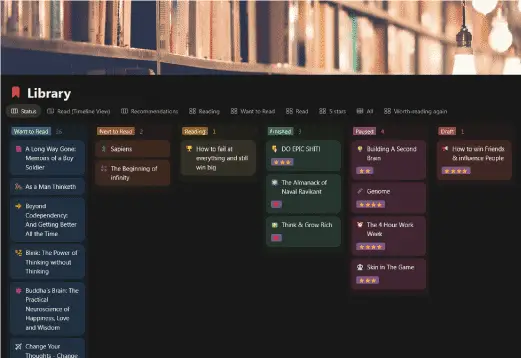
4. Habit Tracker & Goal System
Consistency drives productivity, and this template turns goals into daily actions.
Why it’s effective
- Visual progress tracking
- Streak monitoring
- Monthly reviews
Great for building routines like reading, exercise, or content creation.
5. Content Creator Notion Template
For bloggers, YouTubers, and marketers, planning content is essential.
Includes tools for
- Content calendars
- Idea databases
- Publishing workflows
- SEO tracking
This template is especially useful if you run a website or social channels.
6. Personal Finance & Budget Tracker
Money management affects productivity more than people realize.
Helps you track
- Income sources
- Expenses categories
- Savings goals
- Monthly reports
This template gives you financial clarity so you can focus on work.
7. Client CRM & Business Dashboard
Freelancers and online business owners need organized client systems.
Key benefits
- Lead tracking
- Client project history
- Payment status monitoring
- Communication logs
This template turns Notion into a lightweight business CRM.
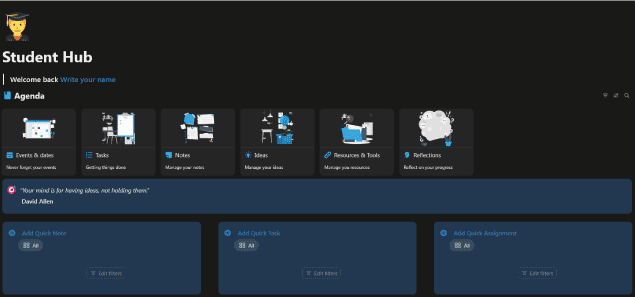
8. Student Study Planner Template
Students can dramatically improve performance with structured planning.
Useful features
- Assignment tracker
- Study session planner
- Exam countdowns
- Notes database
It’s one of the most practical Notion templates for academic productivity.
9. Daily Productivity Journal
Journaling is a proven way to maintain focus and clarity.
What it provides
- Daily intention setting
- Task reflections
- Wins and lessons log
- Mood tracking
This template helps build mindfulness alongside productivity.
10. All-in-One Life OS Template
If you want everything in one place, this is the ultimate system.
Combines
- Goals
- Projects
- Habits
- Finances
- Notes
- Calendar
It acts as a full digital operating system for your life.
How to Choose the Right Notion Template
Not every template fits every workflow.
Ask yourself:
- Do I need personal organization or team management?
- Am I tracking tasks, knowledge, or goals?
- Do I prefer minimal dashboards or full systems?
Start with one template, master it, then expand your setup.
Tips to Get the Most From Notion Templates
To maximize results:
- Customize templates to match your workflow
- Remove unused sections to reduce clutter
- Link related pages for faster navigation
- Review your system weekly
- Automate recurring tasks where possible
Templates work best when they evolve with your needs.
How to Create a Notion Habit Tracker in 10 Minutes (Step-by-Step)
FAQ: Notion Templates
Are Notion templates free?
Many high-quality Notion templates are free, but premium templates often include advanced automation, dashboards, and workflows.
Can I customize any Notion template?
Yes. Every Notion template can be edited, expanded, or simplified to fit your system.
Do Notion templates work for teams?
Absolutely. Many templates are designed specifically for collaboration, project tracking, and team communication.
Are paid Notion templates worth it?
If a template saves you hours of setup or improves workflow clarity, it usually pays for itself quickly.
Conclusion
Using the right Notion templates can completely change how you manage tasks, projects, and information in 2026. Instead of building systems from scratch, you start with proven frameworks that save time, reduce stress, and improve consistency.
If you want to work smarter, not harder, pick one template from this list and start optimizing your workflow today.